What a credit is
A Deep Analysis credit is a single-use pass to run one Deep Analysis simulation. Each credit costs $55 and buys exactly one simulation — no more, no less. When you run Deep Analysis, one credit is consumed at the moment the LLM cascade actually starts (not when you click the button — see the refund policy below).
Credits are a separate billing track from your subscription plan. Buying a Professional subscription does not include any credits; buying credits does not upgrade you to Professional or unlock Pro-only features. The two tracks don't mix, and they don't cross-fund each other. This separation is deliberate: Deep Analysis is a fundamentally different resource from the weekly token budget, and pricing it separately keeps a single expensive run from silently consuming a week of your normal AI work.
Credits do not expire. Buy one now, run it in six months, no problem. If you downgrade from Professional to Free, any unused credits stay on your account. Credits survive plan changes, cancellations, and long gaps between logins.
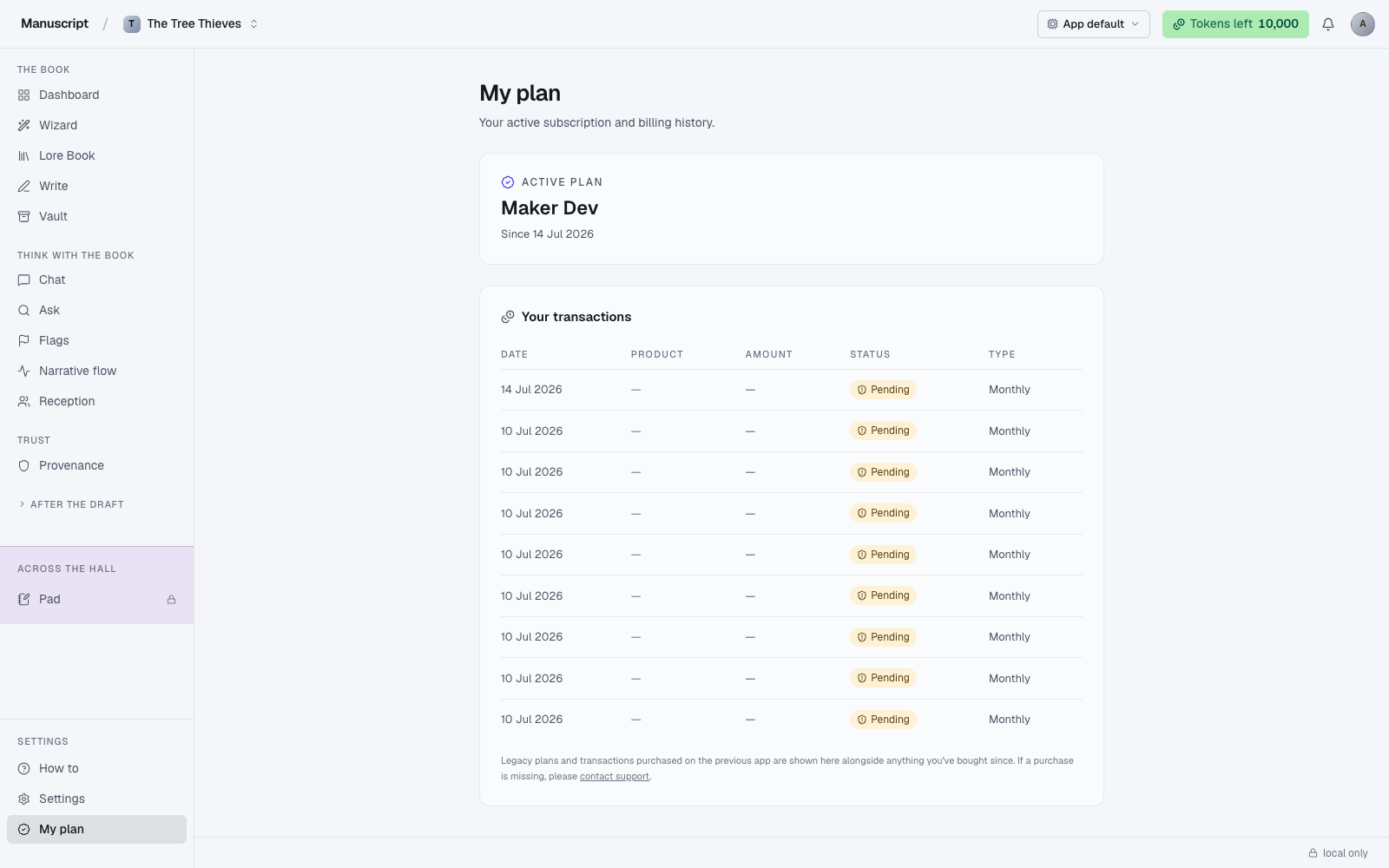
The My Plan page shows your current credit balance as a small chip next to your subscription tier, and the transactions table lists every credit purchase (with a $55 amount) and every credit spend (with the manuscript name). If a credit was refunded — for a precheck failure or a support-approved case — the transaction history shows both the original purchase and the refund as two entries so the ledger is transparent.
Why they cost what they cost
One Deep Analysis simulation burns roughly 100,000 tokens of LLM work. That's 100 fictional readers — synthesized personas with distinct demographics, tastes, and reading histories — reading your entire manuscript, forming opinions, posting reactions, arguing with each other, and being aggregated into a final report over five simulated days. Every persona is a separate LLM context; every reaction is a separate call; every day rolls up into the next.
That's the second most token-heavy operation in the entire app (only the Wizard's full-chapter drafting comes close in a single sitting). The pricing reflects the compute cost with a small margin, not a big software margin. If you were paying for the raw LLM calls on your own OpenRouter account, you'd pay roughly comparable numbers.
If you're going to spend $55 on a piece of software feedback, we want you to spend it on a manuscript that's ready for a real read — one where the simulation's response is going to be useful signal rather than "your first draft isn't done yet, which you already knew." Draft first. Revise. Then run Deep Analysis.
Buying credits
Buy credits via the ThriveCart funnel linked from the Reception page (when your balance is 0, the CTA reads Buy 1 credit · $55) or from the My Plan page. The purchase flow is a standard checkout — payment goes through our payment processor, and when it clears the credit appears on your account within a minute and is immediately available to spend.
You can buy multiple credits at once if you want to keep a couple on hand for iterative revision passes. There is no volume discount — one credit is one credit at $55, and the total is linear. If you're planning to run three simulations across a revision arc, buy three credits; if you're not sure yet, buy one and see what the first simulation says before committing to more.
Checkout is pre-filled with your email and display name from /api/auth/me when you're signed in, so you won't need to retype your account info. If you're checking out signed out, checkout still works — you'll just fill in the fields yourself.
Spending a credit
Only Deep Analysis simulations consume credits. Nothing else does. Running Flags on your manuscript, generating a voice fingerprint, hammering inline commands with big selections, drafting a chapter in the Wizard — none of those touch your credit balance. They come out of your weekly token budget instead. See Tokens and Plans.
To spend a credit:
- Open Reception in the sidebar
- Confirm your balance shows at least one credit
- Choose New deep analysis · uses 1 credit from the top-right CTA
The system runs two prechecks before actually spending the credit — see the refund policy below. If a precheck fails, the credit is refunded automatically (or, in the word-count case, never charged in the first place). Once the LLM cascade starts, the credit is committed and the simulation runs to completion.
The refund policy
This is the important detail — read it before running your first simulation, because the refund rules define what your $55 actually buys.
- Word-count precheck fails. Your manuscript is too short for a meaningful simulation. The run doesn't start; the credit is not consumed. You can add more prose and try again with the same credit.
- Synopsis check fails. Your synopsis is missing or too thin to prime the readers with. The run doesn't start; the credit is not consumed. If a synopsis check was already made against the LLM (which spends a small amount of compute) and then failed, the credit is auto-refunded within a short window.
- The LLM cascade starts. The credit is consumed. The simulation is now spending real compute — 100 fictional readers, five simulated days. From this point forward, refunds are support-only and case-by-case.
- You cancel mid-run. The credit is consumed. The compute has already been spent even if the run doesn't finish.
- You don't like the result. No refund. The simulation ran; the report is what it is. But you can start a fresh simulation with a new credit — a second run against the same manuscript may reveal what the first missed, or confirm what it caught.
The short version: the credit is committed only when the LLM cascade actually starts spending compute. Anything that fails before that gets a refund automatically. Anything after is spent, regardless of whether you liked the outcome.
Support-only refunds
If a simulation failed technically — the process crashed, the output was empty, the report is obviously broken (malformed, truncated, or nonsense), or a race condition consumed a credit for a run that never happened — email support with your account handle and the timestamp of the run. We check the server logs and refund the credit if the failure was on our end.
Support-only refunds are for technical failures, not for editorial disappointment. "The report didn't match what I expected" or "the personas were wrong about my book" is feedback, not a refund category. If you want a second read, buy a second credit and run again — the simulation is deep, not deterministic, and a fresh run against the same manuscript sometimes surfaces different signal.
Refund turnaround is typically a business day. If you need a credit refunded urgently (because you want to rerun that day), mention it in your email and we'll prioritize.
Where to see your credits
Open My Plan. Your unused credit count shows as a chip at the top of the page next to your subscription tier. The Reception page also shows a small credits chip in the top-right so you always know your balance before running a simulation.
The transaction history further down the My Plan page lists every credit-related event:
- Credit purchase — Date, Amount ($55 each), Status (Verified after the webhook confirms, or Pending briefly during redirect), receipt link
- Credit spend — Date, the manuscript the simulation ran on
- Credit refund (if applicable) — the original purchase row plus a refund row, both visible
This is your accountant's record for the credit line, just as it is for subscription payments. Save receipts from here.
When to buy
- After a revision pass, when your draft is close to what you'd send to an agent, and you want a serious external read before you submit. This is the highest-value moment for Deep Analysis — the personas will react to a manuscript that's actually ready to be reacted to.
- Not during first drafting. A simulation against a first draft will spend $55 to tell you what you already know — that the book isn't done. Draft first, then run.
- Not repeatedly on the same draft. Running Deep Analysis twice on the same manuscript state produces similar output. The simulation is deep, not random. If you want the second read to surface different signal, revise in between; if you want confirmation of the first read, one run usually suffices.
If you're not sure whether your manuscript is ready, run Flags first (which comes out of your token budget, not a credit) — Flags surfaces continuity gaps, anachronisms, and pacing issues that Deep Analysis will also react to. Fixing what Flags finds before running the simulation makes the simulation feedback sharper.
What to read next
- Deep Analysis — the full walkthrough of the simulation
- Plans — subscription billing, which is separate from credits
- FAQ — for the most common Deep Analysis questions