Local-first
Your work saves to a local database first — inside the app, on the server that hosts your session — every 1.2 seconds after your last keystroke. That save is instant and doesn't need the internet round-trip to a data center on another continent to feel snappy.
From there, your work mirrors to a durable cloud database in the background. That's how signing in on a different device brings your book with you: the cloud copy is the shared source of truth across every session you own, while the local copy is what makes typing feel like typing in Notepad rather than typing in a form.
This design has one main consequence for you as an author: the editor keeps working when the network drops. If your connection goes out mid-sentence — subway tunnel, hotel Wi-Fi, coffee shop dead spot — you keep writing. Autosave keeps flushing to the local database. When you reconnect, sync catches up in the background and your other devices pull the new changes on their next visit. You never see a "reconnecting…" spinner in the middle of a sentence.
The local-first pattern is also why the editor feels the same whether you have one thousand words or one hundred thousand words in the document. Reads and writes hit the local database directly; the network is only involved on the mirror step, which happens off the critical path of typing.
The 30-second sync loop
Roughly every 30 seconds, a background worker runs a three-step reconciliation between your local database and the cloud mirror:
- The local database looks at what's changed since the last successful sync (tracked in a per-row outbox — see
src/lib/sync/outbox.ts) - Changed rows are pushed to the cloud mirror in batches, table by table
- Any changes made on other devices (or your own device from earlier when it was offline) are pulled back down and applied locally
- Both sides settle, timestamps update, and the outbox row is marked "synced"
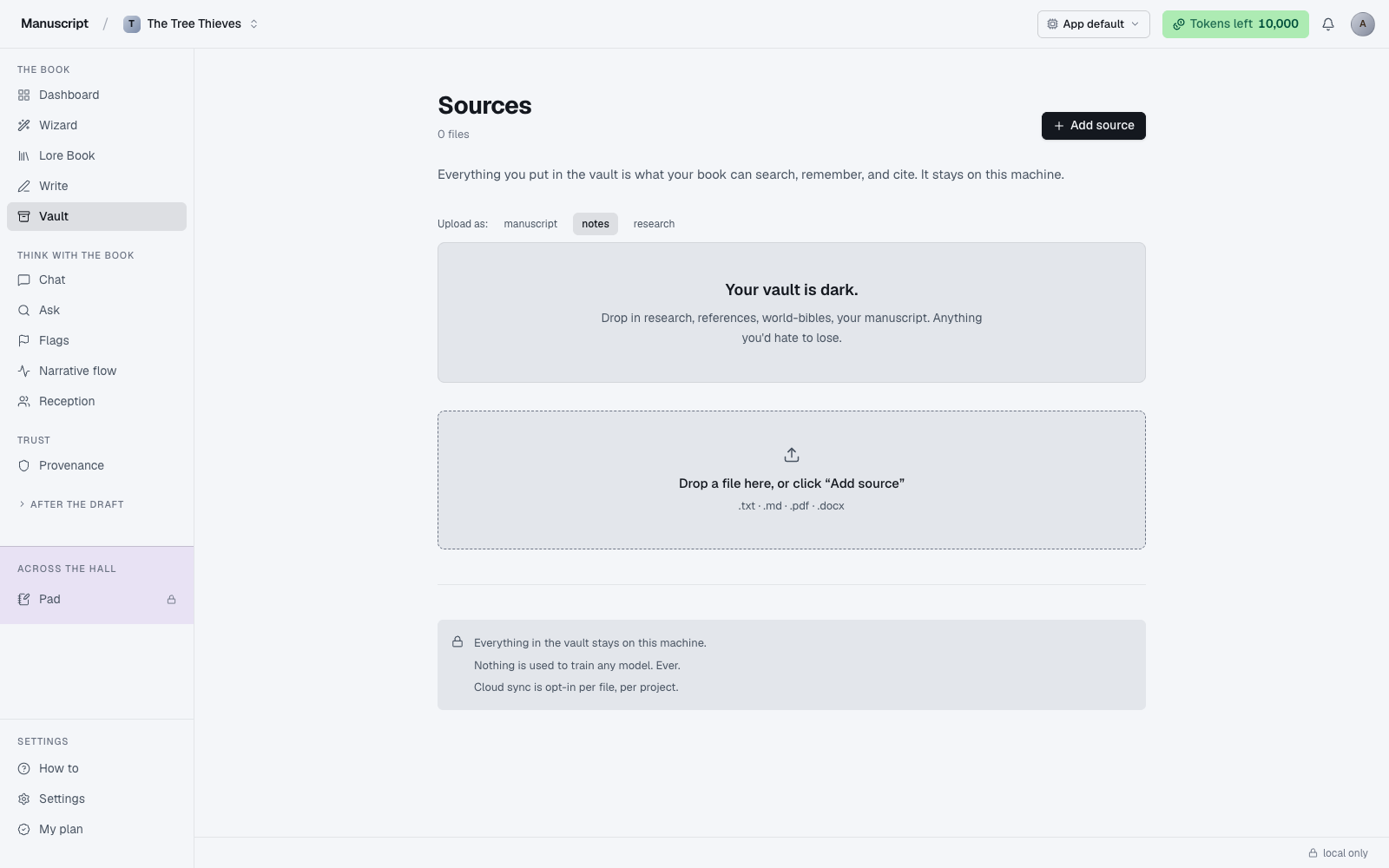
You can watch this happen in the editor footer bar: the chip on the right flips between "local only" (there are outbox rows that haven't been pushed yet) and "synced" (the last cycle completed cleanly). A small queued count like "↑ 3" means three rows are waiting to be pushed on the next tick.
If sync fails on a given cycle — the server returns a 500, the connection times out, a batch conflicts — nothing is lost. The local database still holds every change, the outbox row keeps its "unsynced" state, and the next tick retries. Rows that keep failing are retried with backoff up to ten times before being dead-lettered (still saved locally, still visible to you; just flagged loudly in the server logs so the team can investigate).
Sync is designed to be boring. In practice you should never have to think about it — the chip flips to "synced" every half-minute and that's that.
What syncs
Everything account-scoped travels between your local database and the cloud mirror. In practice that means:
- Your manuscript (every document, every paragraph, every heading, with per-paragraph ULIDs so ordering is stable)
- Your Lore Book (all entries across all 7 kinds, including aliases and portraits)
- Your Outline (Acts, Chapters, Scenes, statuses, and word targets)
- Your Vault sources (files and their extracted text)
- Your chat threads and their message history
- Your Pad sessions
- Your Provenance ledger (every AI-accepted change, before/after text intact)
- Your voice fingerprint
- Your billing state and Deep Analysis credits (cloud-only — see below)
If you can see a piece of content on one signed-in device, it will be on every other signed-in device once sync catches up. There is no "download to phone" step to remember.
What doesn't sync
A few narrow things are deliberately per-device, either because syncing them would be surprising or because they don't make sense outside the browser they were created in.
- Grammar checking state. The Harper.js checker in Write runs entirely in your browser (in a local WASM module) and produces its findings in-memory. Each device does its own local check on the paragraphs you open. Nothing about the check is stored, so there's nothing to sync.
- Recent-viewed state. Which document you had open last, your scroll position inside it, which tab was highlighted in the rail. These are per-device UI details and would be more annoying than helpful if they jumped between machines mid-session.
- DevTools panels, browser zoom, extension state. All of it is per-device by definition. Nothing app-side ties into it.
Multiple devices — a walkthrough
Sync is easiest to reason about via a concrete example. Say you're drafting on your phone during your commute, then open your laptop when you get home.
- 9:04am on the phone. You add a paragraph to chapter 4. Autosave fires 1.2 seconds later. The paragraph is in the local database on the server holding your phone's session. The next sync tick pushes it to the cloud mirror within about 30 seconds.
- 9:07am on the phone. You lose signal on the train. Sync stops mid-cycle. Autosave still works locally — the paragraph you're writing right now lands in the local database instantly. You keep typing.
- 9:12am on the phone. Signal returns. Sync resumes, drains the queued outbox rows, and everything you wrote in the tunnel flushes to the cloud.
- 6:30pm on the laptop. You open the app. On sign-in, the client pulls the latest state from the cloud mirror. Chapter 4 has both the 9:04am paragraph and the tunnel-written ones, in order.
You didn't have to think about any of this. The app took care of it. If either device had shown a "conflict" prompt or a "your data may be out of date" dialog, that would be a bug — sync is designed to reconcile silently.
When sync falls behind
If sync has fallen behind — because the server took a long break, or because a batch of changes keeps failing to push — the footer chip in Write stays on "local only" for longer than usual. Most of the time the next tick catches up on its own and the chip flips to a fresh timestamp within a minute.
The most common cause of a stuck sync is a network hiccup on your side. If you're on hotel Wi-Fi that only pretends to work, or a VPN that's dropping packets, sync waits patiently for a stable connection. Nothing is lost; the outbox just accumulates. When the connection comes back, the drain works through the backlog in one or two ticks.
If the chip is stuck for more than a few minutes and you're demonstrably online (other sites load, your email is coming through), the sync worker on our end may need a manual nudge. See Troubleshooting for the specific fix — the short version is: refresh the page, wait 60 seconds, and if it's still stuck, email support with your handle and a rough timestamp.
Backup
Because your work lives in both a local database and a cloud mirror, you already have two independent copies at any point in time. That's a good default for most authors — it covers device loss, disk failure, and most operator error scenarios.
If you want a third copy — for peace of mind, or as a checkpoint before a major revision — open Write, use the Export button (DOCX, PDF, EPUB, AZW3, Markdown, or plain text), and save the result somewhere you control (a personal Dropbox, an external drive, an email to yourself). Then export the Provenance ledger separately as JSON or Markdown. Two exports, thirty seconds of work, and you have a genuinely off-platform record of both your prose and its AI provenance.
Some authors run this backup routine at the end of every writing week; others do it once a quarter. Either is fine. The important part is that the exports are yours — they don't depend on our infrastructure to open, read, or restore.
Billing data
One narrow exception to the "local-first, cloud-mirror" pattern: subscription and Deep Analysis credit transactions live in the cloud only, in Supabase. There is no SQLite copy of your billing history — it's stored durably in the cloud from the moment a payment clears, so if your local device is wiped, your credit balance and subscription tier hydrate cleanly on your next sign-in.
This is deliberate. Billing data is the one class of write we can't afford to have exist in two places with a lag between them — a race where the local copy says "you have 3 credits" and the cloud says "you have 2" would let a user accidentally double-spend, and that's a class of bug we chose to structurally eliminate by keeping only one copy.
You still see your credit balance and subscription status in the UI (on the My Plan page and in the Tokens rail) — those views read from the cloud directly.
Cross-device conflicts
If you edit the same paragraph on two devices without letting them sync in between, the second push wins — the version pushed most recently overwrites what was there. This is uncommon in practice; you'd have to be writing on two devices simultaneously with both offline, or make edits on Device A, close it without waiting for sync, then jump straight to Device B and edit before it had pulled.
If it happens and you lose something you cared about, Provenance has the before/after text of every AI-accepted change, which can help you reconstruct AI-related edits. Manual edits (the ones you typed yourself) aren't versioned that way — the local database is the only record of the intermediate keystrokes.
The best defence is habit: when switching devices, sign in first and let the sync chip flip to "synced" before you start writing. That's usually 20 seconds. If you make it routine you'll never see a conflict.
What to read next
- Privacy — what leaves your device and where it goes
- Troubleshooting — for when sync gets stuck
- Provenance — the export path for a durable off-platform record of your book