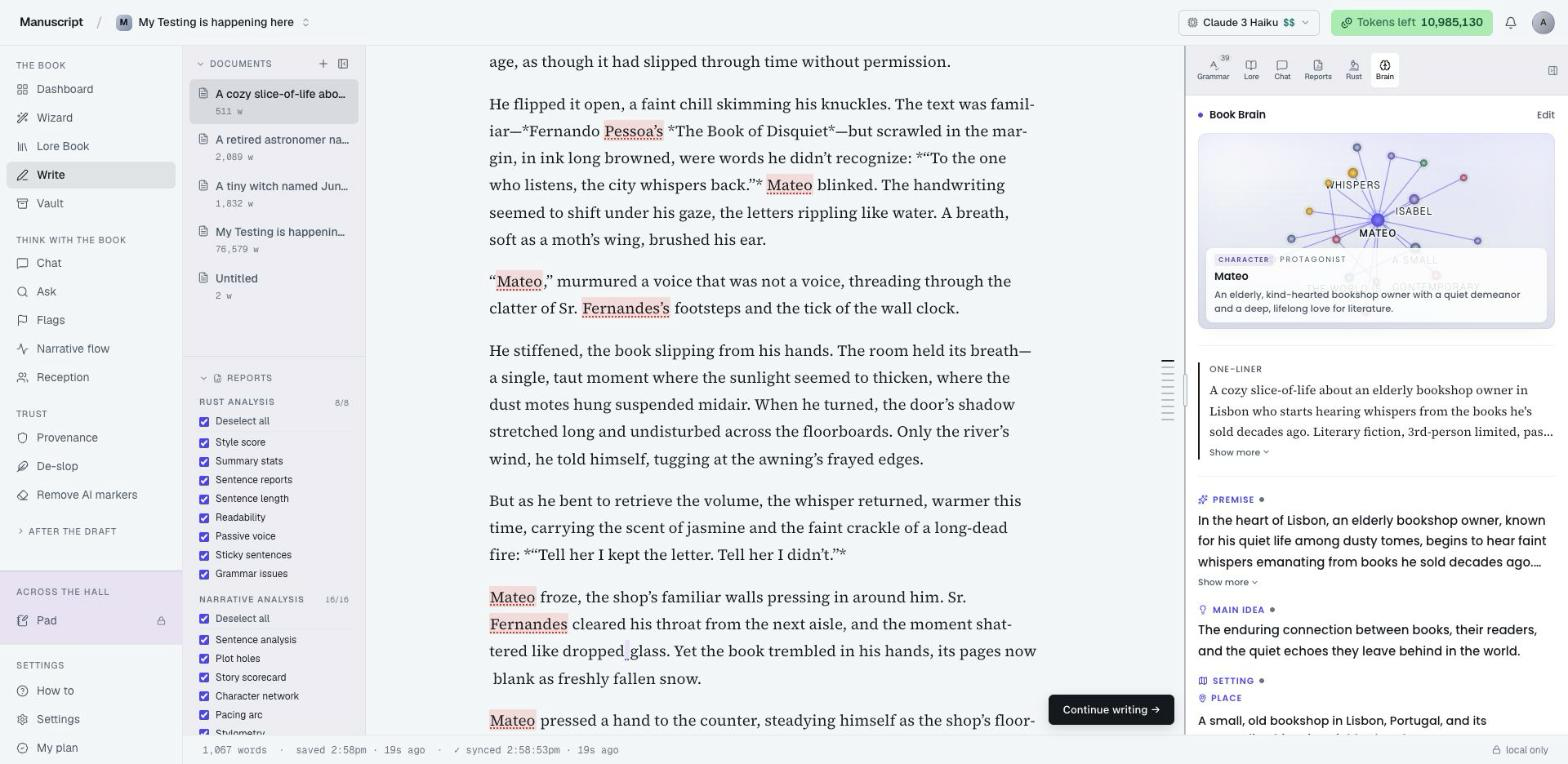
What Book Brain is
Book Brain is the memory layer under every AI command in Manuscripts. You pitch your book once — a paragraph in plain English — and we extract a structured plan: genre, point of view, tense, premise, main idea, setting (place / time / world rules), the opening cast, tone & style, chapter count, target length, and a working title. From then on, every time the AI drafts prose for you, it reads that plan first. Nothing it writes contradicts what you've told it.
The brain is per-book. It lives next to your document, follows you from the proposal page into the editor, and shows up as a tab in the right-side rail so you can audit, edit, or lock any field at any point.
The companion feature is Continue writing → — a black pill in the bottom-right of the editor that drafts the next ~400 words of your current chapter, in your voice, respecting your plan. When a chapter hits its target length, it auto-advances to the next one. Click, read, click, read.
Together they turn a 400-word pitch into a 40,000-word drafted manuscript — one that still reads like your book, because every sentence the AI wrote was constrained by the plan you set.
01 — Pitch your book
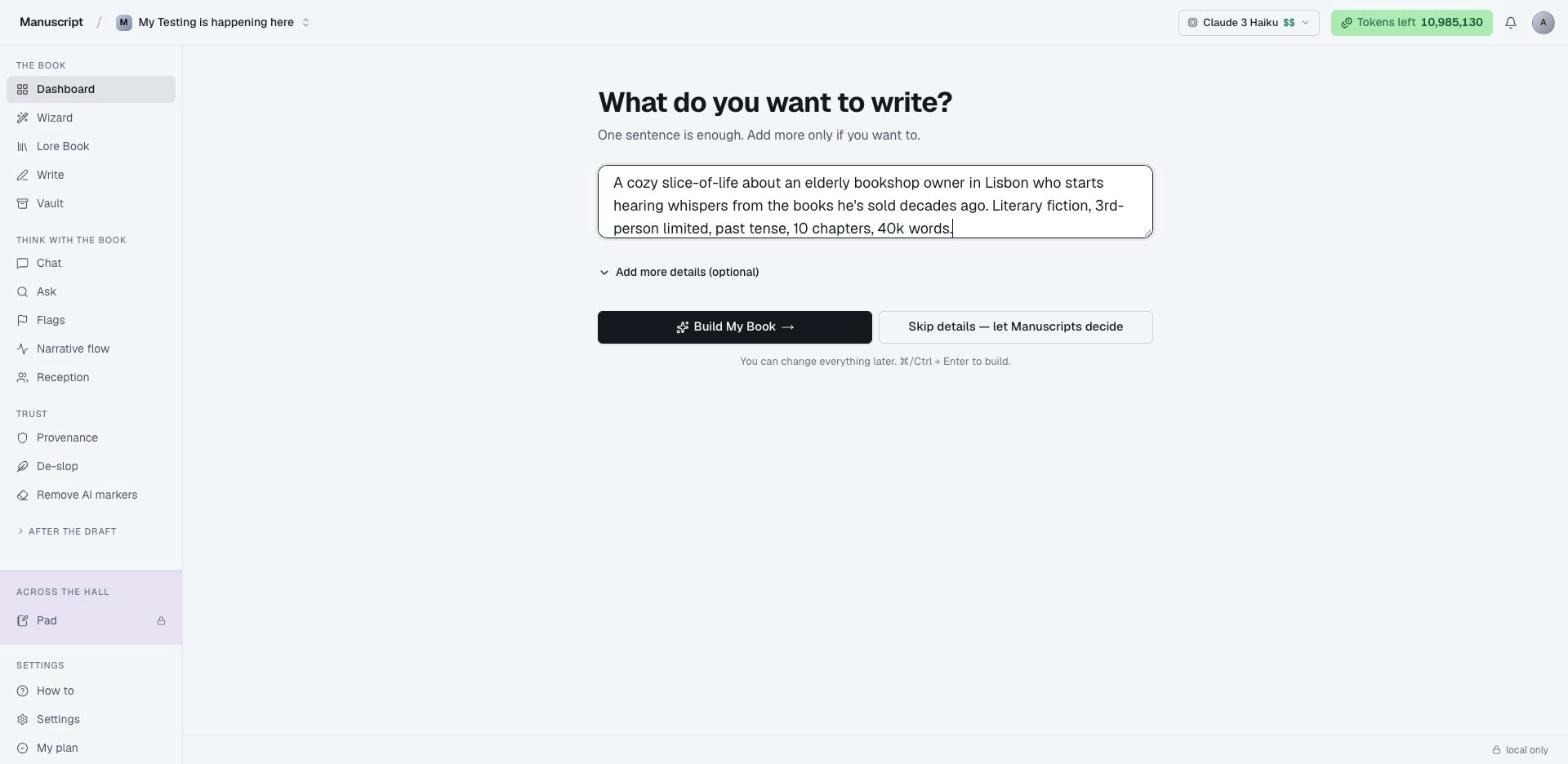
Open New manuscript from the dashboard. One field, one paragraph. Describe the shape of your book in plain English — genre, cast, setting, tone, length. Don't worry about format or completeness; the parser is forgiving.
Example pitch that works well:
"A cozy slice-of-life about an elderly bookshop owner in Lisbon who starts hearing whispers from the books he's sold decades ago. Literary fiction, 3rd-person limited, past tense, 10 chapters, 40k words."
The more concrete you are about voice and stakes, the better the brain fills. Vague pitches ("a fantasy book about magic") produce vague brains.
02 — The brain fills itself
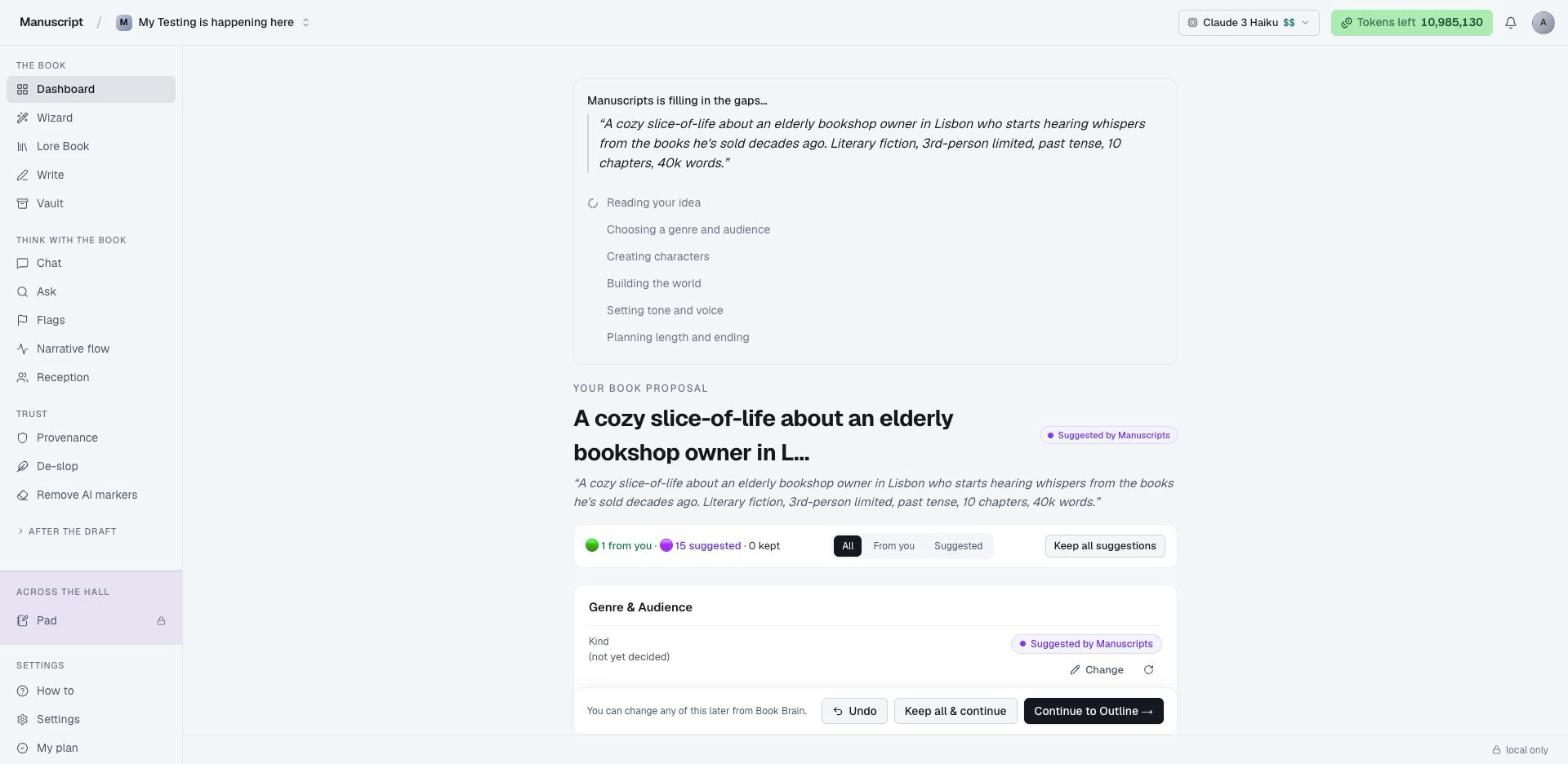
In about thirty seconds the extraction completes. You watch the fields populate live — kind, genre, premise, main idea, setting, characters, tone, length, ending mode, must-remember rules. Everything the AI needs to write prose in your book is there before you've written a word.
Fields are provenance-tagged. The dot next to each value tells you whether it came from your pitch verbatim, was inferred by the AI, or is a safe default we picked for the genre. You'll see the same dots across every surface that reads the brain — the proposal, the Brain tab in the editor, and the Provenance export.
03 — Review and lock
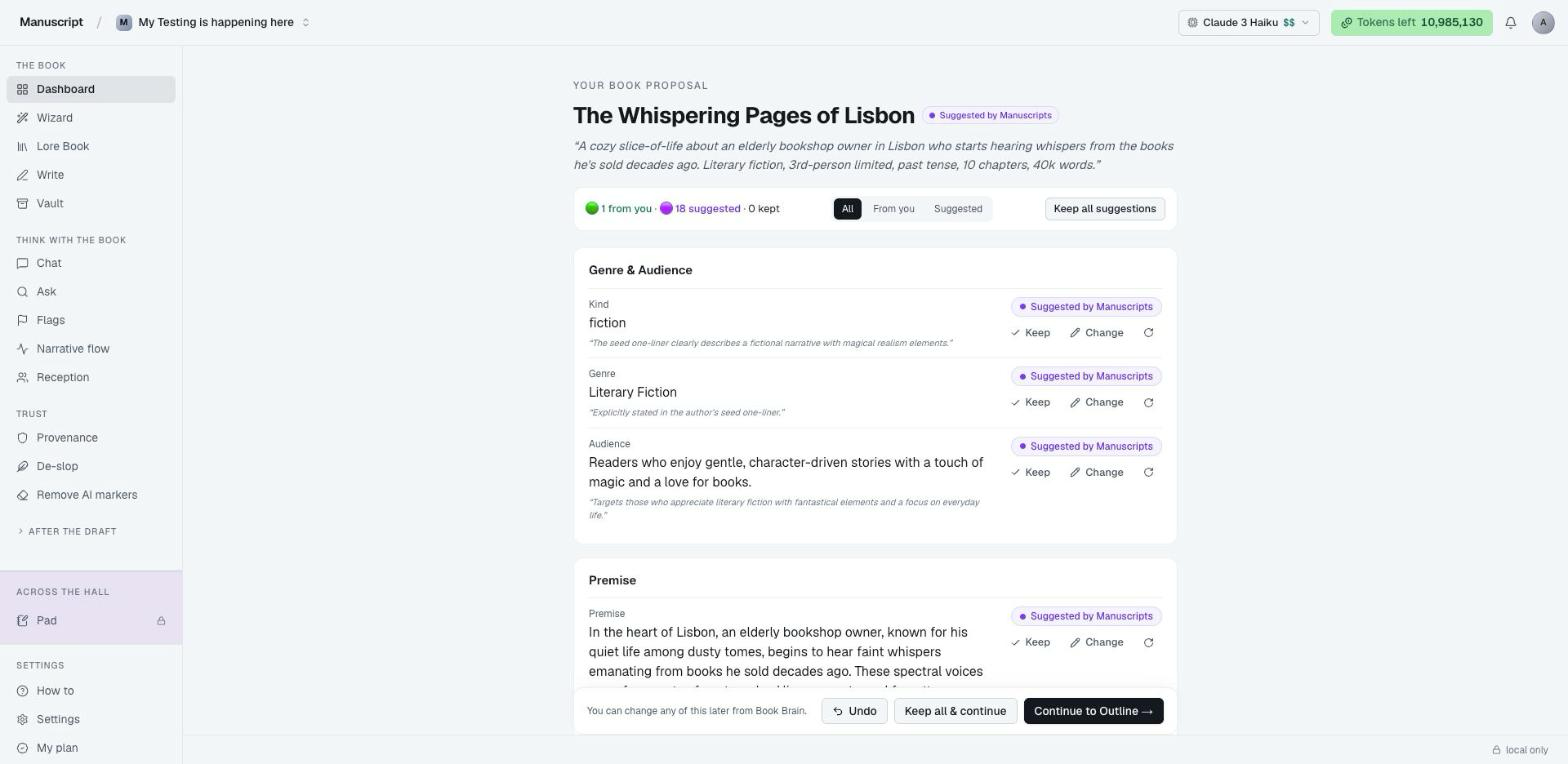
The proposal screen is the whole brain laid flat. Scroll through it. Edit anything that's not right — type over a value, add a character, swap the POV, change the genre tags. Lock the fields that matter most so later generations can't drift. If a sentence of your premise is load-bearing to the plot, lock it.
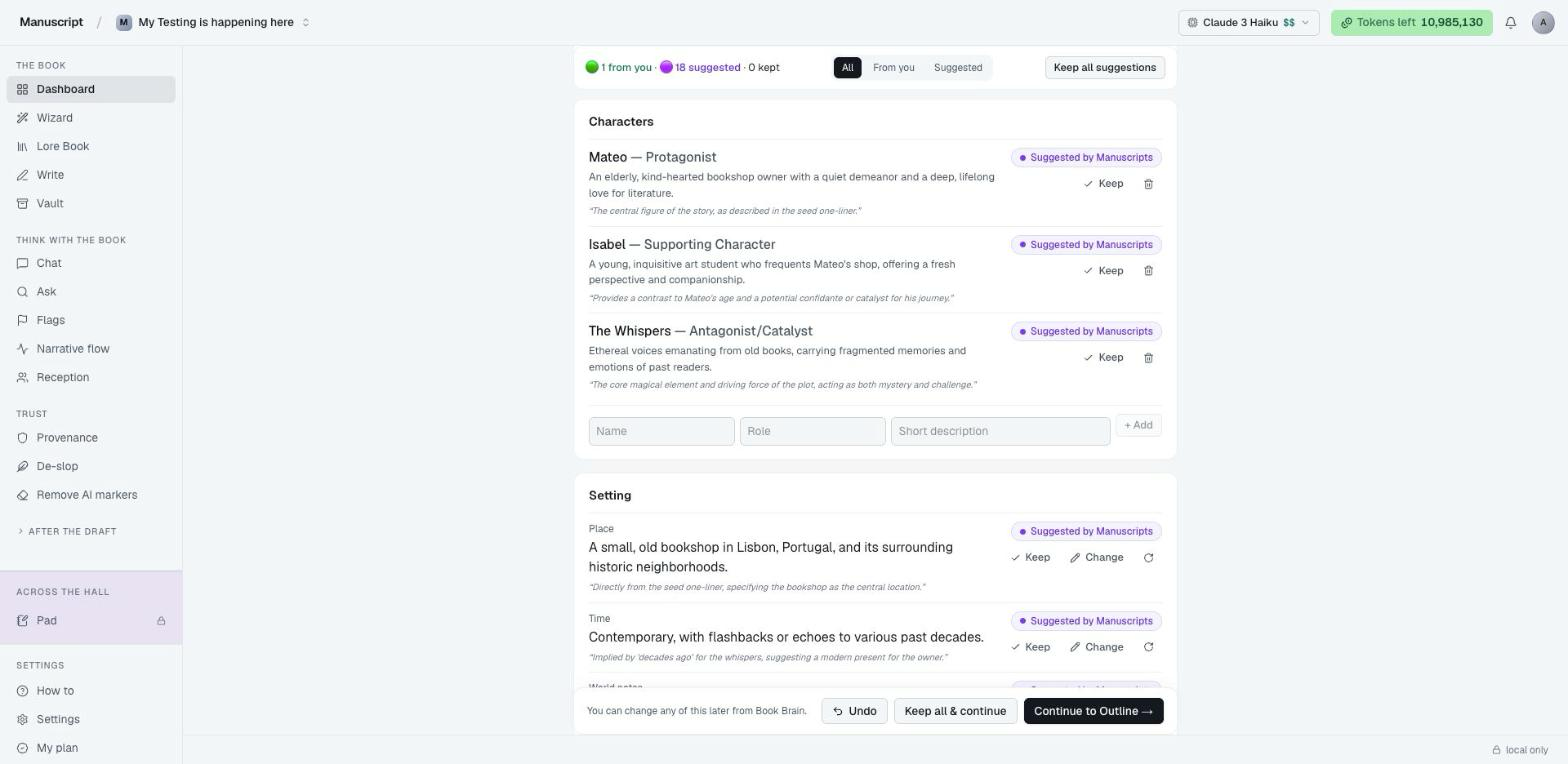
Your cast lives here too. Each character has a name, role, and short description. The role field matters more than it looks — "Protagonist", "Reluctant ally", "Antagonist disguised as mentor" shapes how the AI frames the character in dialogue and in beats. Scroll further for setting (place / time / world notes), ending mode, and the critical Must-remember block.
The must-remember field is a free-text box the AI gets as a verbatim NON-NEGOTIABLE in every prompt. Use it for the rules that would break your book if ignored: "The twin's identity is NOT revealed before Chapter 7", "Never use the word 'destiny'", "This story is funny — if a scene reads sad, undo it." It's the only field with that kind of weight.
04 — Continue to outline
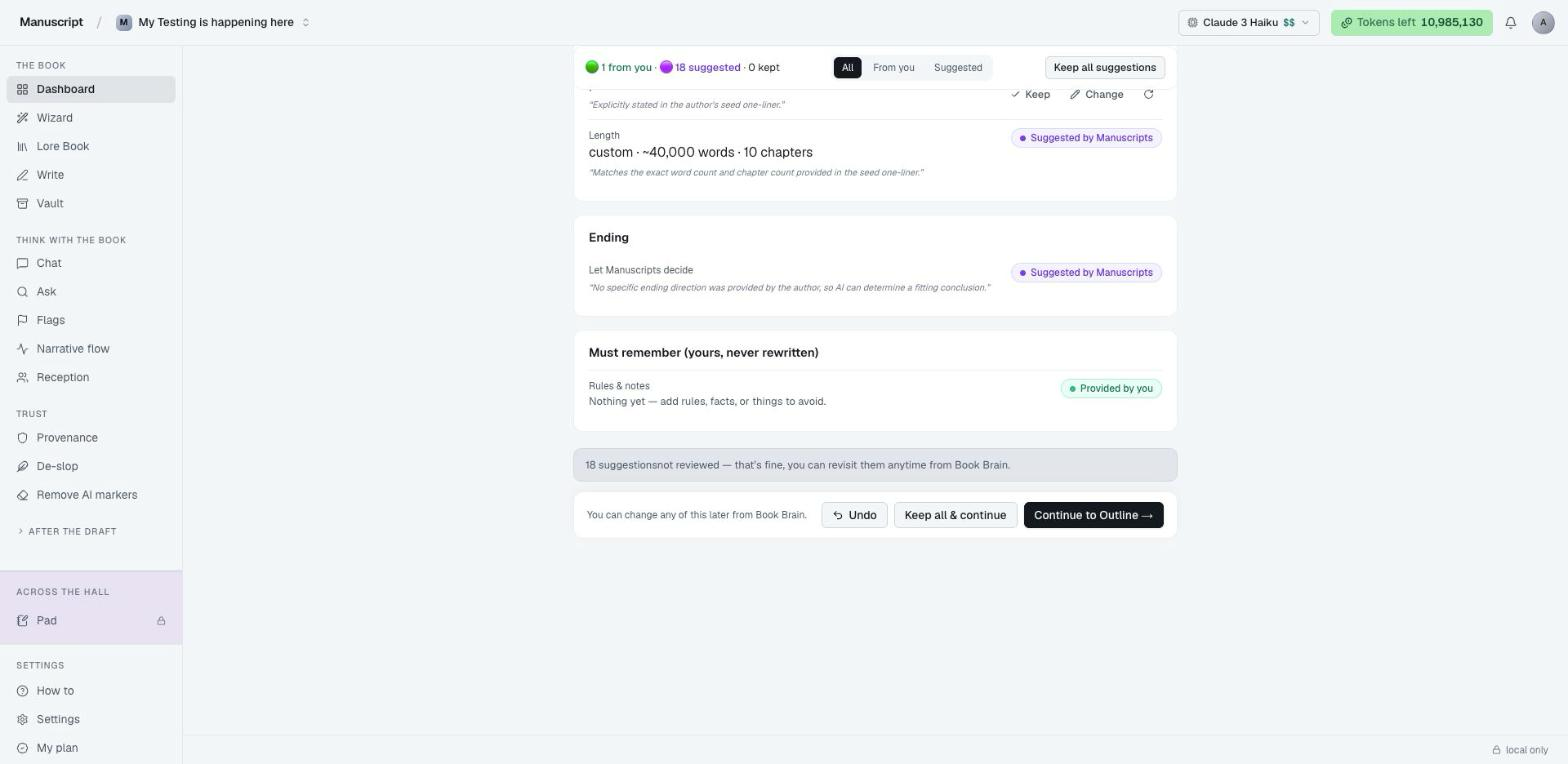
One button, two things happen: every chapter gets a scaffolded H1 heading laid into your editor in reading order, and the opening ~400 words of chapter 1 get drafted — in your voice, your POV, your setting. The rest of the book is yours to grow.
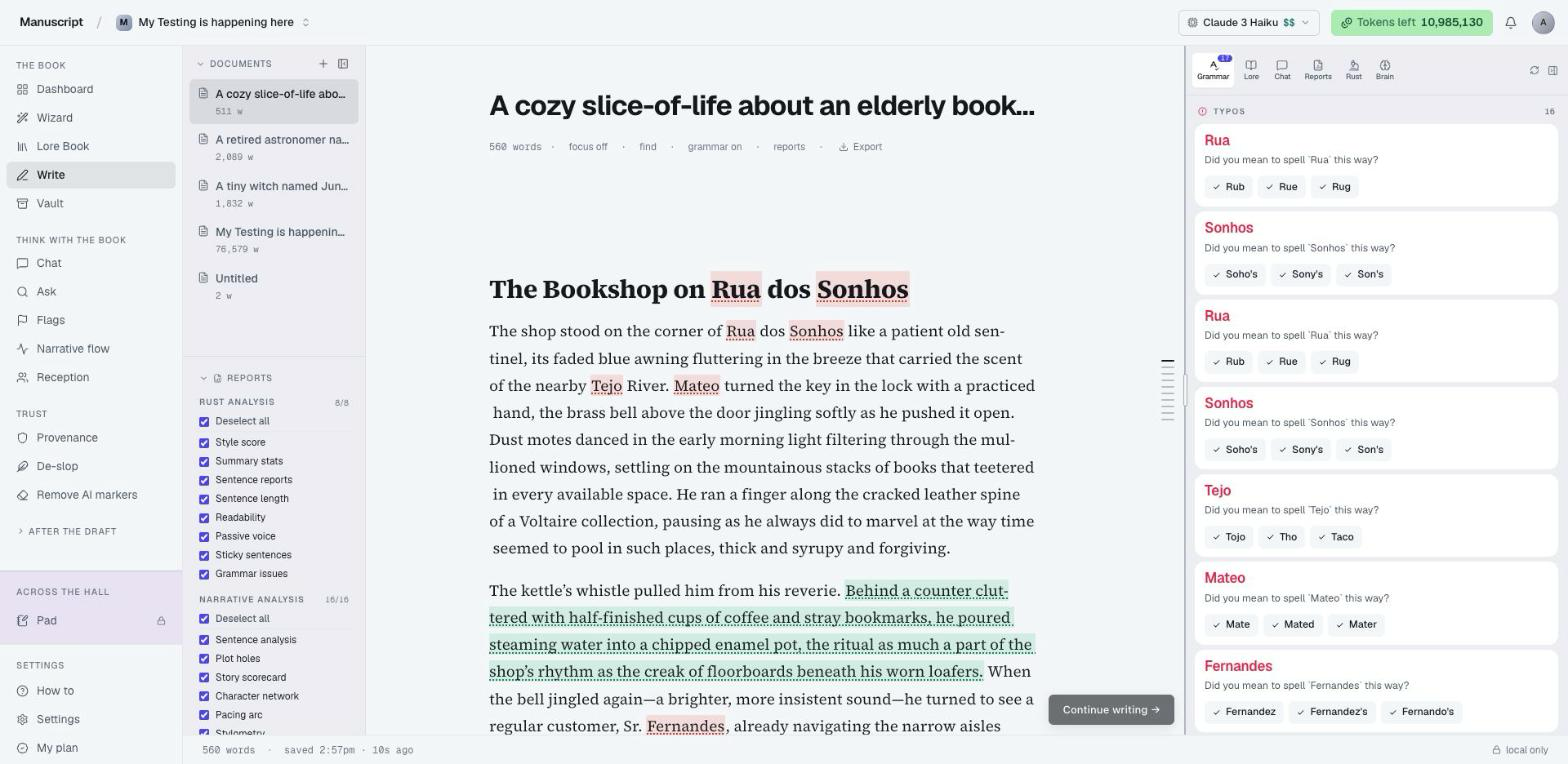
If you look at the right rail you'll see six icons — Grammar, Lore, Chat, Reports, Rust, and the new Brain tab. The Brain tab is where you'll come back when you want to check what the AI is remembering about your book.
05 — Continue writing →
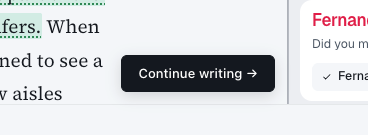
The black pill at the bottom-right of the editor is the main loop. Click it and the AI drafts ~400 more words into your current chapter, picking up exactly where your prose left off and stopping at a natural beat so you can keep going. It respects your voice, your POV, your tense, your hard constraints, and your must-remember notes — every time.
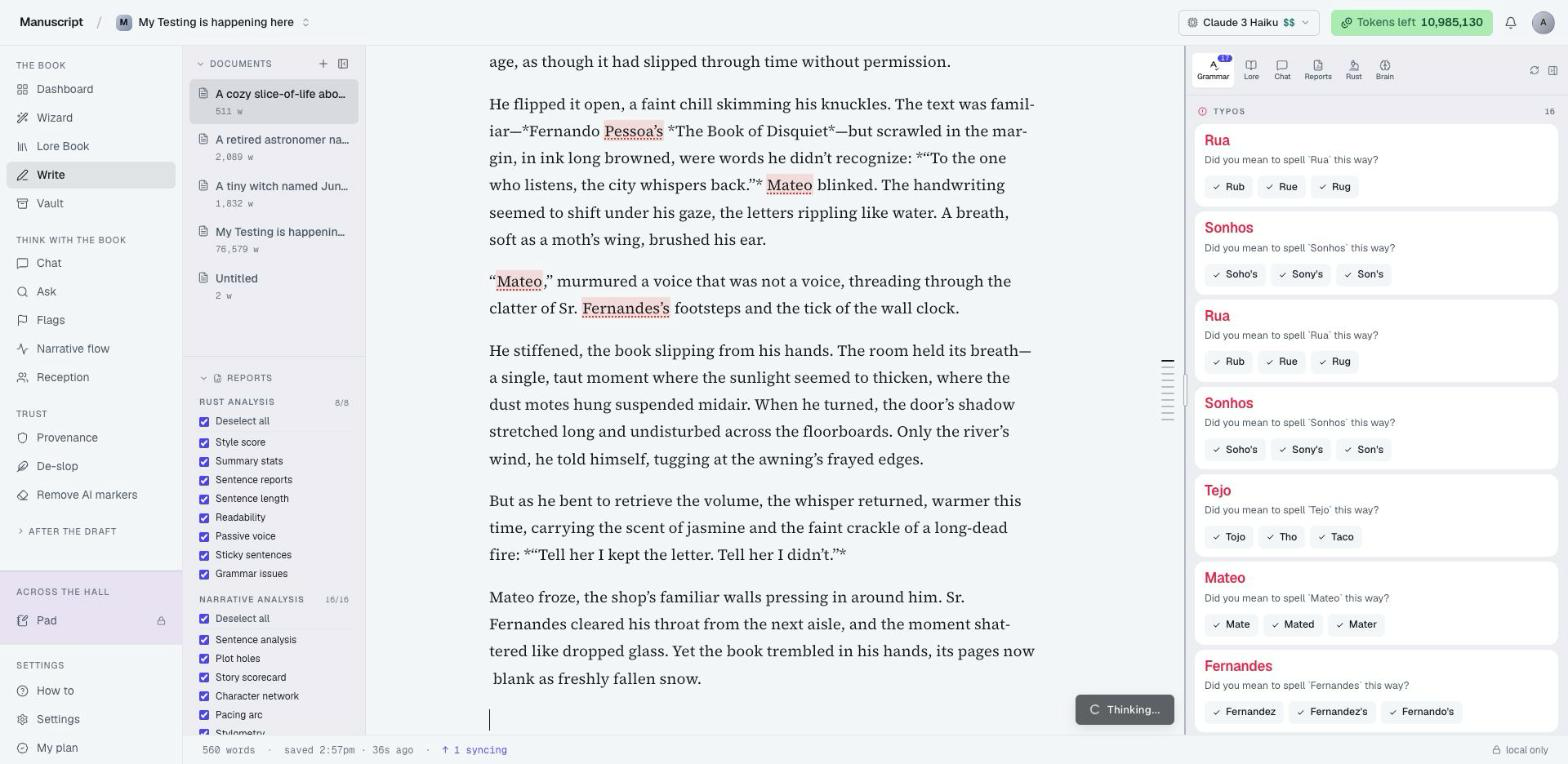
The pill itself tells you what's happening. First Thinking… while the model plans the next beat — this can take anywhere from two to twenty seconds depending on the model you're using and the length of your current chapter.
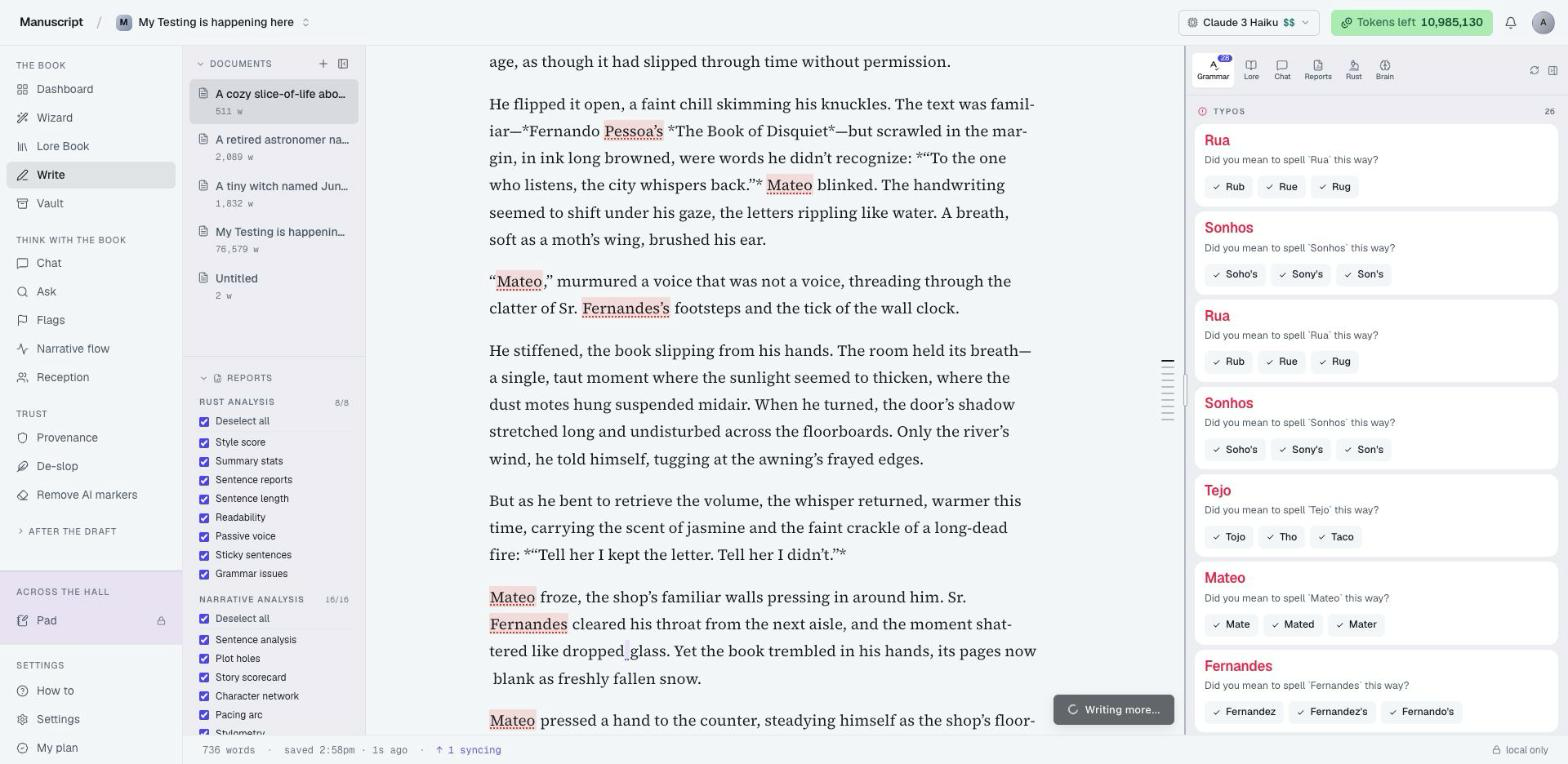
Then Writing more… as prose streams live into your manuscript, word by word, in the right position — at the end of your current chapter, before the next chapter's heading. Watch it land. You can scroll, you can read, you can keep the Brain tab open to spot-check what it's drawing from.
When your current chapter hits roughly 90% of its target length, Continue auto-advances to the next chapter on the next click. Same session, no setup, no new prompt — it opens the next chapter with ~400 words of opening prose that pick up the thread from the previous chapter's ending. You can draft two or three chapters in a sitting without ever leaving the editor.
Continue is only offered on books that have a brain. Imported manuscripts or legacy uploads without a brain won't show the pill — set up a brain first (via the wizard or the proposal page) and the affordance appears.
06 — The Brain tab
Click the Brain icon in the right rail (or press ⌘6) to open the Brain tab. The top of the panel is a live force-directed graph of your book — your cast at the centre, their relationships to each other, the setting place/time/world as linked nodes, your premise and main idea as satellite themes.
Hover any node and a frosted plate at the bottom of the graph tells you what kind of node it is (character, location, era, theme, tone), its role in the book, and the full description from the brain. Drag the nodes around if you want — they're physics-interactive. It's your book, mapped.
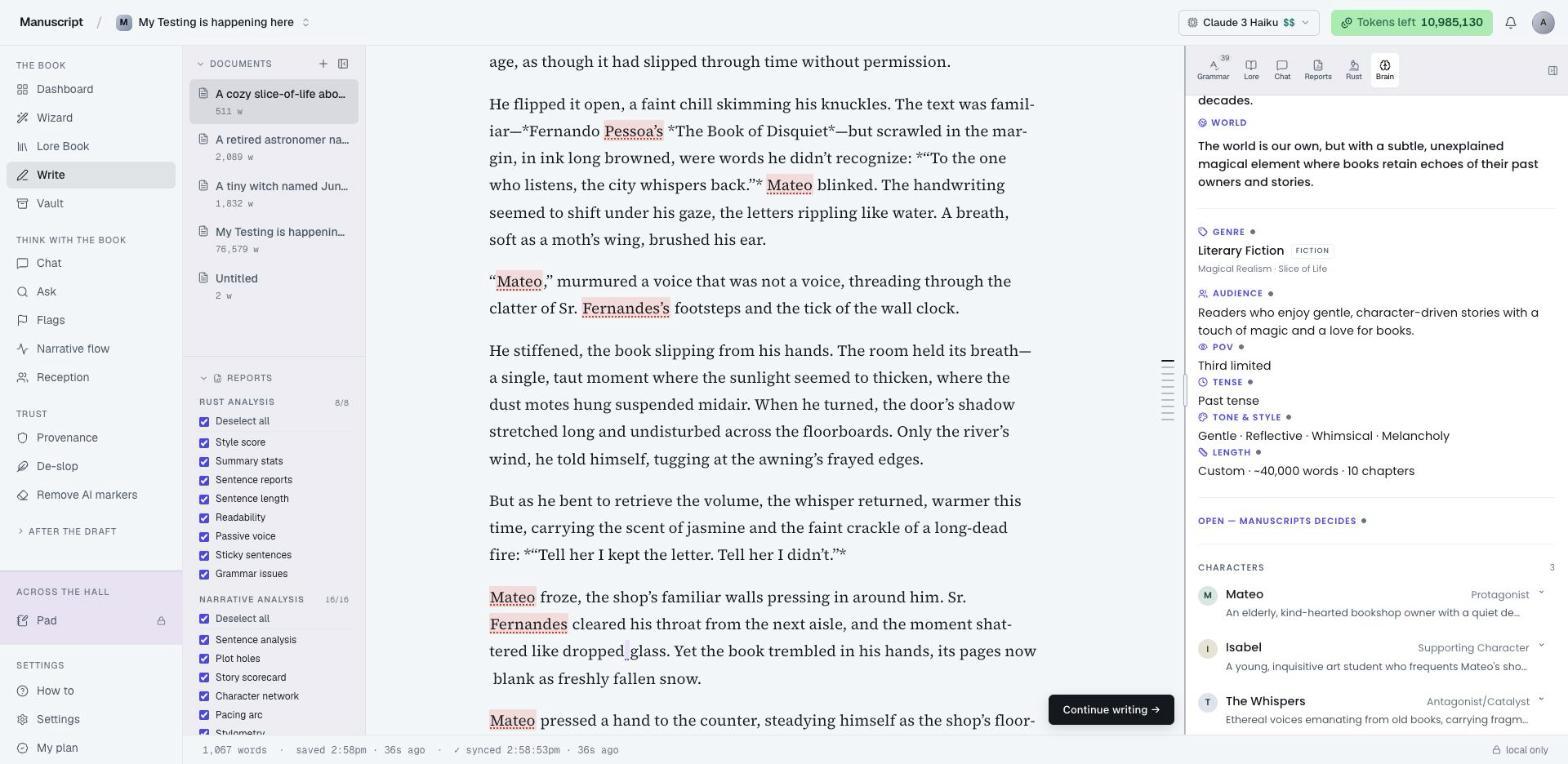
Scroll past the graph and the rest of the brain is readable in order: Premise, Main idea, Setting (place / time / world), Genre + subgenres, Audience, POV + tense, Tone & style, Length, Direction, Characters cast list with expandable detail rows, Chapters list with their titles, and the Must-remember block (styled as a sealed amber card so you can't miss it).
Every item is labeled with its provenance dot — the same purple/amber/grey convention from the proposal page. Click a character row to expand it inline and read the full description without leaving the editor.
07 — Book Memory
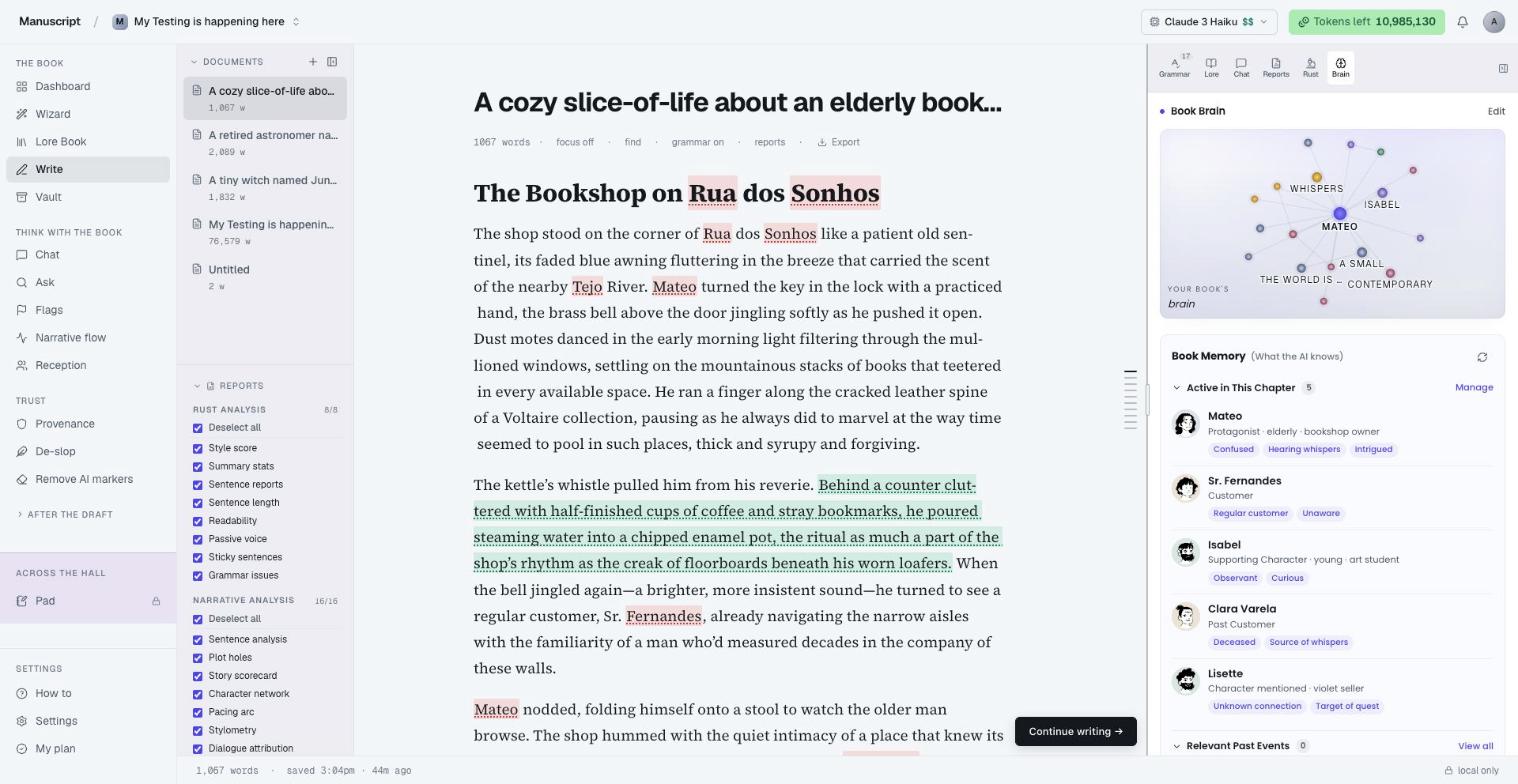
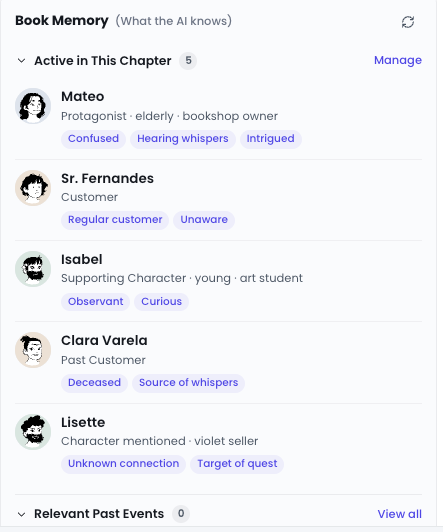
Open the Brain tab and the first thing you see — above the constellation graph, above every other field — is Book Memory. It's a live, chapter-aware summary of what the AI is holding in its head right now, for the chapter you're actually writing in.
Four sections stack vertically, each collapsible:
Active in This Chapter — the characters currently on-stage. Each card shows a stylised portrait (generated from the character's name if you haven't uploaded one), their name and role, their current state as a row of pill tags ("Suspicious", "Determined", "Hiding something"), and a one-line note on how they appear in the scene.
Relevant Past Events — up to four bullet points from EARLIER chapters that matter to the current scene. Not a chapter-by-chapter recap — a shortlist of what the AI thinks you'll want to call back to. "Ch. 7: Daniel mentioned Paris trip" or "Ch. 9: Sarah found the red envelope." If you're in chapter 1 there's nothing to call back to yet, and the panel just says so.

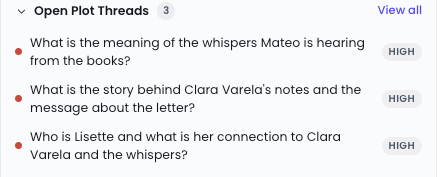
Open Plot Threads — up to three unresolved threads the current chapter is sitting on top of, each with a priority badge (High / Medium / Low). The AI flags the threads it thinks are load-bearing to the scene you're writing right now, so a "wait, what was the deal with the red envelope?" question is one glance away.
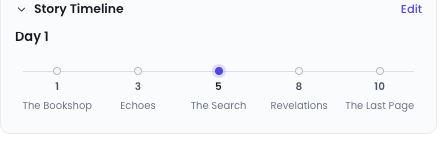
Story Timeline — the in-story day you're currently writing, the date if your book tracks dates, and a horizontal spine of chapter waypoints with the current chapter highlighted. Useful when you need to answer "how long has it been since X?" without leafing back through the manuscript.
How Memory stays fresh
Book Memory runs on a cheap, fast model (Gemini 2.5 Flash) so it costs almost nothing to keep current. The extraction fires automatically three seconds after you open a book — by the time you click into the Brain tab, the panel is usually already populated. If it isn't, you'll see a shimmer skeleton for a few seconds while the model finishes.
Memory is cached per chapter. Open the same chapter twice, and the second visit is instant and costs you nothing. When you edit a chapter enough that its contents drift from the cached version, a soft banner appears on the Memory panel: "Chapter has changed. Refresh to update?" — nothing re-runs automatically, so you're never surprised by a bill.

The icon-only Refresh button in the top-right of the panel header forces a re-extraction when you want one — after a big revision, after you've moved scenes around, or just because the Memory doesn't feel right. It spins while the model is thinking. One click, one Gemini Flash call, one cent.
Memory isn't injected into Continue writing's prompt by default (that's what Book Brain + the chapter tail is for). It's a tool for you — a glanceable "where am I in this story?" readout — not a crutch for the AI. If you want the AI to lean on a specific memory entry, drop it into the Must-remember block on the proposal page.
What the AI reads on every generation
Every AI command in your editor — Continue writing, the twelve BubbleMenu inline commands, Templates, Chat, Desk, Atomize — gets the same brain injected at the top of its prompt. Hard constraints come first (anything you locked or marked NON-NEGOTIABLE), then your must-remember block, then the character and setting context, then your trained Voice fingerprint if active.
That's why the AI's output stays coherent across clicks, across chapters, and across days of drafting. There's no amnesia between sessions and no voice drift between surfaces. The brain is the single source of truth for who this book is for, what it's about, and how it has to sound.
The rule stands
Continue is the only surface where you ask the AI to write prose into your manuscript. Every word it drafts is logged to Provenance with the before and after text, timestamps, chapter position, and the Book Brain version active at the time. You can audit the AI contribution to any paragraph of your book at any point, and you can export the full ledger as JSON or Markdown.
Everything else about Manuscripts — Pad, Flags, Chat, Ask, Reports, Templates (minus the three content-generators we deliberately cut), Desk, Voice training, Atomize — still refuses to write prose into your manuscript. Book Brain is the plan. Continue writing is the only brush. Provenance is the audit. The author decides what gets kept.